
Why Your Beauty Brand Needs GIFs
- Feb 19
- 6 min read
Updated: Mar 4
Before we dive into the how, let us quickly touch on the why on beauty brand. The beauty industry is visual. Customers want to see what a product looks like on skin, how it blends, and the texture of the formula. A static photo is great, but a GIF tells a more complete story.
Show Product Texture
A GIF can perfectly capture the shimmer of a highlighter, the glide of a liquid lipstick, or the creamy consistency of a foundation.
Demonstrate Application
Create quick, looped tutorials that show how to apply eyeshadow or use a skincare tool. These are perfect for social media and blog posts.
Increase Engagement
Our brains are wired to notice movement. A GIF is inherently more eye-catching than a still image, making it a true scroll-stopper.
Boost Email Open Rates
Adding a bold, colourful GIF to your email marketing can entice subscribers to stop and read your message.
The Power of Animated Content
Animated content isn't just a trend; it's a necessity. In a world where attention spans are dwindling, GIFs provide a quick and engaging way to convey your message. They can evoke emotions, tell stories, and connect with your audience on a deeper level.
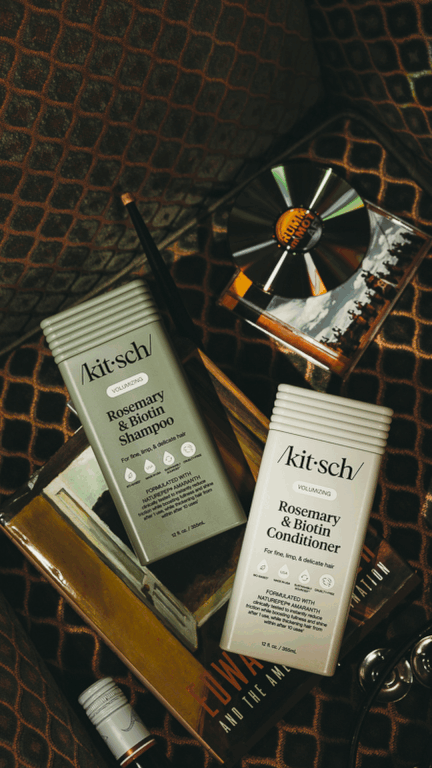
Step 1: Plan Your Concept and Gather Your Assets
The first step in learning how to create a branded GIF is planning. You cannot just wing it. You need a clear idea of the story you want to tell.
Define the Goal
Are you launching a new shade? Creating a how-to tutorial? Or just want a fun, branded reaction sticker for your community? Your goal will dictate the style of GIF you make.
Create a File Folder
Start by creating a new folder on your computer. This will be the home for all your images. If you are shooting a product rotation, like a 360-degree view of a perfume bottle, select the sequence of images and pop them in. For a simple animation, you only need five to ten frames.
Shoot with GIFs in Mind
If you are shooting new photos, remember this golden rule. Lock down your camera on a tripod. For the animation to look smooth, the background needs to be perfectly still. You only want your product or the application motion to move.
Step 2: Make Your GIF in Photoshop
Photoshop is the industry standard for creating GIFs from product images. Do not be intimidated. It is easier than you think. Here is how to create a GIF from your product images in five steps.
Load Your Files
Open Photoshop. Go to File, then Scripts, then Load Files into Stack. Click Browse and select all the images from the folder you created. Click OK. Photoshop will create a new document with each image on its own separate layer.
Open the Timeline
Go to Window, then Timeline. In the timeline panel that appears at the bottom, click the dropdown arrow and select Create Frame Animation. Then, click the three lines in the corner of the timeline panel and choose Make Frames From Layers. This turns each of your layers into a single frame of your animation.
Set the Timing and Loop
Now for the fun part, bringing it to life.
Timing
Select all the frames using Control+A on PC or Command+A on Mac. Then click the time below any frame. It usually says zero seconds. Set the duration. For a smooth product video, 0.1 or 0.2 seconds works well. You can adjust individual frames if you want one to pause longer.
Looping
At the bottom of the timeline, find the loop option. Set it to Forever to keep your GIF playing continuously.
Save Your Masterpiece
Go to File> Export> Save for Web Legacy. Make sure the file format is set to GIF. Play with the colour settings to reduce the file size without losing too much quality. Click Save. Congratulations, you have just created your first product GIF!
Step 3: Get Your GIFs Discovered on GIPHY Brand Channel
Creating the GIF is only half the battle. You need people to find it. If you want your branded GIFs to be searchable on Instagram, Facebook, and Snapchat, you need to get them on GIPHY.
Set Up a Brand Channel
First, create a free GIPHY account. Then, you will need to apply for a verified brand channel. This is crucial for brands. Here is what you need:
A company email address like hello@krisztianstudio.com.
A username that matches your brand name.
At least five GIFs uploaded to your account, so get creating.
A link to your official website and a social media profile.
Once approved, your GIFs will be associated with your brand, making them much easier for users to find.
Upload and Tag Correctly
When uploading your GIF, tagging is everything. This is how people discover your content. Use a mix of broad and specific tags.
Brand Tags
Your brand name and product names.
Descriptive Tags
The action. For example, a makeup tutorial, a lipstick swatch, or a skincare routine.
Emotion Tags
If your GIF shows a reaction, tag it with emotions like excited, shocked, or happy.
Visual Tags
Colours, trends, or themes. For example, glitter or summer glow.
Avoid using too many tags. Stick to five to ten tags to prevent GIPHY spam filters from flagging you.
Step 4: Where to Use Your Beauty Brand GIFs
You have made your GIF and uploaded it to GIPHY. Now, where should you show it off?
Social Media
This is the most obvious place. Use your GIFs in Instagram Stories, TikTok videos, and Facebook posts. A quick, mesmerising loop of a product in action is perfect for grabbing attention in a busy feed.
Email Marketing
Spice up your newsletters. Instead of a static image, embed a GIF to showcase a new product collection or demonstrate a step in a beauty routine. It is a surefire way to increase click-through rates.
Blog Posts
GIFs are the perfect balance between a photo and a video. They can make a how-to blog post much more engaging without forcing readers to watch a long video.
Stop-Motion Display Ads
Use your GIFs for paid social media advertising or Google Ads. The movement will help your ad stand out against static competitors, potentially lowering your cost per click.
Frequently Asked Questions
Here are some common questions I get about creating scroll-stopping ads and working with my studio.
FAQs about Photography GIFs
How do I make scroll-stopping ads for my beauty products?
To create a scroll-stopping ad, focus on three things. Bold visuals, simple messaging, and movement. Use high-contrast colours that match your brand. Keep the text minimal. Just a strong hook and a clear call to action. Finally, add movement with a GIF. A video ad showing a product being unboxed or a swatch being applied is much harder to ignore than a static photo.
What is the difference between a GIF and a cinemagraph?
A GIF is a short, looping animation made from a sequence of images. A cinemagraph is a special type of GIF in which most of the image remains still, while only a small, selected area moves. An example could be a model's hair blowing in the wind or a single shimmer moving across an eyeshadow palette. Cinemagraphs are incredibly elegant and eye-catching thanks to their subtle movement.
My GIF looks blurry. How can I fix it?
Blurriness often comes from compression. When saving your GIF in Photoshop, use the Save for Web feature. Limiting the colour palette can also be limiting. For a GIF, you do not need millions of colours. Reducing the colours to 128 or 64 can significantly reduce file size and make it look cleaner on the web. Also, make sure your source images are sharp and in focus.
FAQs about Krisztian Studio
Can you help us create a GIF from our existing product images?
Absolutely. If you already have a set of product photos, I can compile them into a fast-moving gallery or a smooth rotating GIF. You can choose the image order and play speed to suit your needs, whether it is for a newsletter or an Instagram Reel.
What are the options for retouching on a GIF?
This is an important consideration. If we shoot new images for a GIF, I offer two options.
A GIF with no retouching: The GIF is compiled during the shoot using the raw images. This is great for speed and staying within a budget. However, please note that small dust particles might be visible on the final product.
A retouched GIF: Every single frame is retouched to remove dust and perfect the product. This results in a flawless, professional animation. Each frame counts toward the shot count for the day.
Do you only photograph beauty products?
Not at all. While I love the beauty and fashion sector, I also specialise in product photography for homeware, gifts, and food. The principles of lighting and composition apply to everything. I am always excited to bring a product to life, whether it is a piece of jewellery or a bottle of hot sauce.
How do I get started with a project?
The best way is to get in touch. We can chat about your vision, the products you want to feature, and how you plan to use the final GIFs. From there, I can provide a tailored quote, and we can schedule the shoot. Let us make your products move.

Comments